
Build a Chat Application using the PaLM 2 API on Cloud Run - GSP1201

Overview
This lab demonstrates how to create and deploy an AI-powered chat application using Cloud Run on Google Cloud. The chat application is powered by the PaLM 2 Chat Bison Large Language Model's (LLM) (text-chat) APIs.
You will leverage the APIs in a web application and deploy it to Cloud Run, using Cloud Build and Artifact Repository to store the container image of the application build. The application can be used as a starting point for web interfaces using the PaLM2 APIs.
What you will learn:
In this lab, you will create a web application that runs on Cloud Run which utilizes APIs provided by the PaLM 2 for text (Chat Bison) Large Language Model (LLM) and surfaces them through a simple web interface deployed in the lab.
After this lab you will gain an understanding of how to build a web application which can utilize Large Language Models like the Chat Bison model to create engaging, conversation based interactions with end users who can asks questions and receive insightful responses through the chat application.
To complete the lab you will:
Build a Docker image to run the application using Cloud Build
Deploy a Cloud Run service that executes the application
Review python code to understand how the application utilizes the
Chat Bisonmodel
Let's begin!
Task 1. Environment Setup
In order to deploy the Cloud Run application we will download the source from a Cloud Storage bucket.
- Open a new Cloud Shell terminal and execute the following command.
gsutil cp -R gs://spls/gsp1201/chat-flask-cloudrun .
- Next, navigate to the folder of the project.
cd chat-flask-cloudrun
- Set the region and project environment variables referenced by subsequent commands.
export PROJECT_ID=qwiklabs-gcp-01-9a291b3ad02a
export REGION=us-central1
Task 2. Build a Docker image
Next, you will build a Docker image for the application and push it to Artifact Registry. Once built and stored you will reference the container image to deploy the application to Cloud Run.
- Set environment variables required.
export AR_REPO='chat-app-repo'
export SERVICE_NAME='chat-flask-app'
- Next, run the following command to create the Artifact Repository:
gcloud artifacts repositories create "$AR_REPO" --location="$REGION" --repository-format=Docker
- Configure Docker authentication and submit the container image build job to Cloud Build.
gcloud builds submit --tag "$REGION-docker.pkg.dev/$PROJECT_ID/$AR_REPO/$SERVICE_NAME"
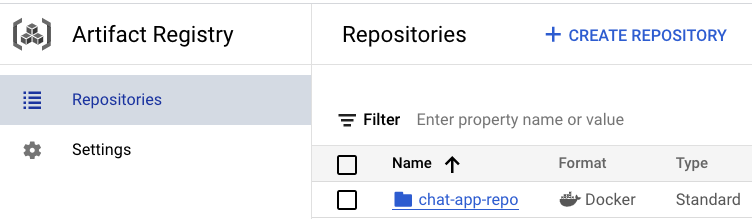
- To verify if the image is pushed to the Artifact Registry, go to the Artifact Registry page. Left Menu > Artifact Registry. Confirm the
chat-app-repois available.
Click Check my progress to verify the objective.
Build a Docker image
Check my progress
Task 3. Deploy the application to Cloud Run
Now that the application has been downloaded and built via Cloud Build, you will now deploy and test it on Cloud Run.
- In Cloud Shell, run the following command:
gcloud run deploy "$SERVICE_NAME" --port=8080 --image="$REGION-docker.pkg.dev/$PROJECT_ID/$AR_REPO/$SERVICE_NAME:latest" --allow-unauthenticated --region=$REGION --platform=managed --project=$PROJECT_ID --set-env-vars=GCP_PROJECT=$PROJECT_ID,GCP_REGION=$REGION
Note: This step will take a few minutes to complete.
- To launch the application, click the service URL provided in the output of the last command:
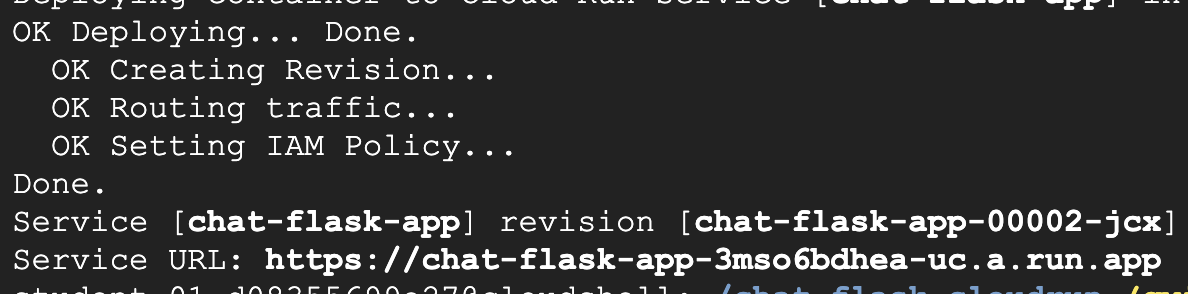
- Enter the following query into the input text box and click Send. You will receive a response generated by the PaLM 2 Chat Bison API in the output text box below the prompt input.
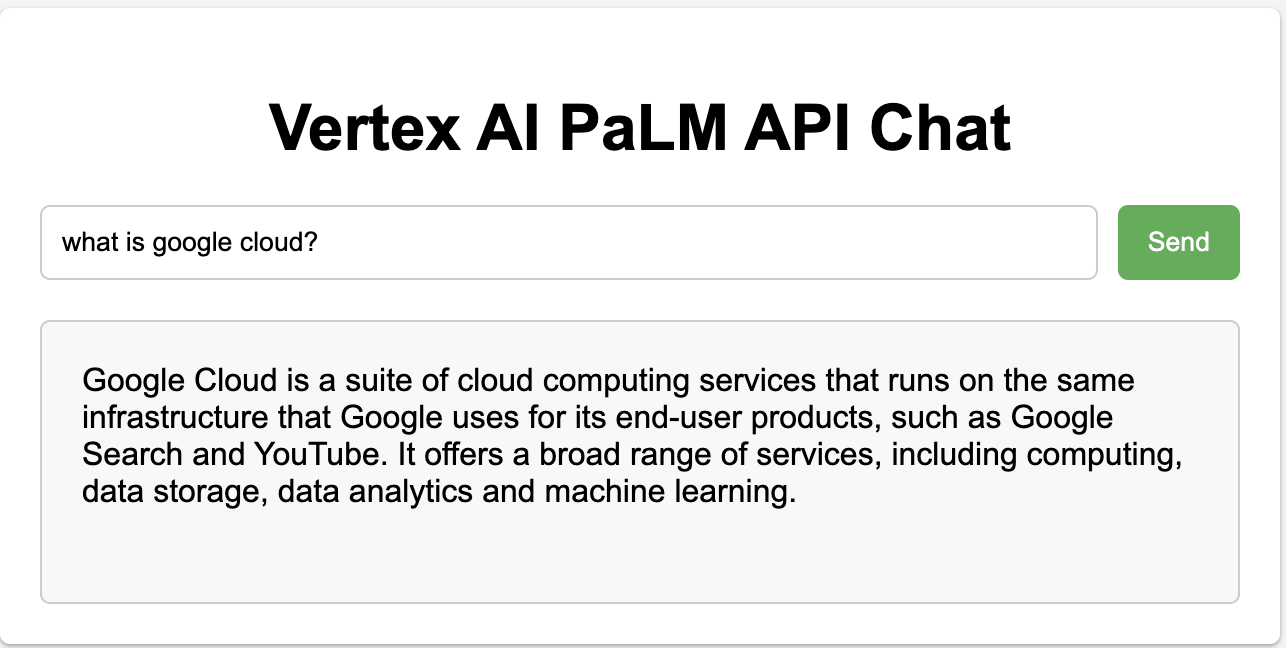
Click Check my progress to verify the objective.
Deploy the application to Cloud Run
Check my progress
Task 4. Explore the python code
To understand more about how the application utilizes the PaLM2 Chat Bison API, you will briefly explore the code used by the app.
In Cloud Shell, click Open Editor which will provision a new Cloud Shell Editor for you to browse the code with.
Expand the folder
chat-flask-appand selectapp.pyto begin exploring the code.
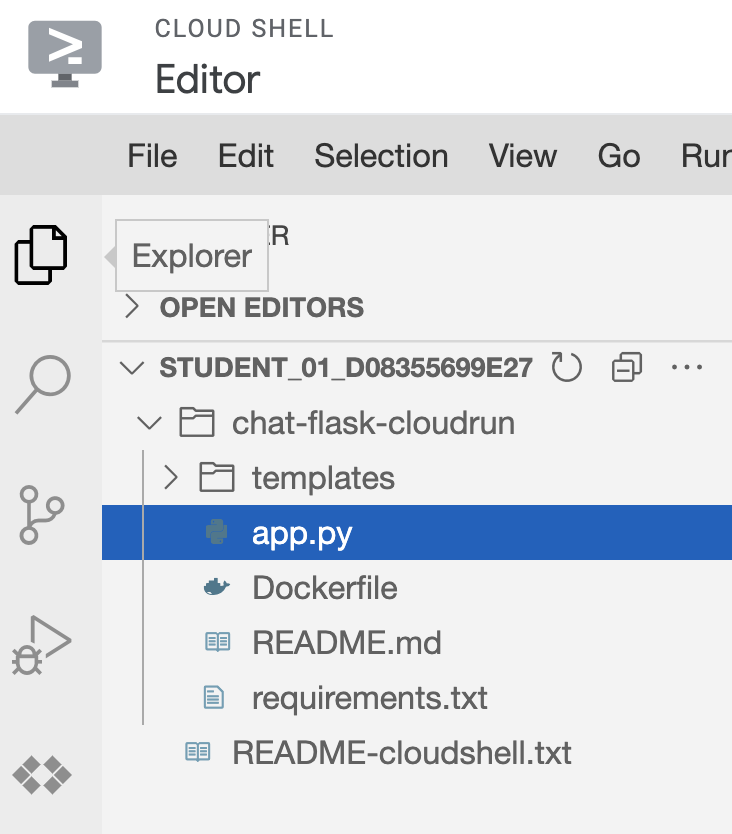
- There are a few python methods in this file which are important to note.
create_session: this method creates a new session with Vertex AI using thechat-bison@001model. It is used by the route/palm2which you will observe further to establish a new chat session.
def create_session():
    chat_model = ChatModel.from_pretrained("chat-bison@001")
    chat = chat_model.start_chat()
    return chat
response: this method defines sensible defaults for parameters used to by the PaLM2 APIs such as thetemperature,max_output_tokens,top_pandtop_kparameters and submits the prompt to the chat bison model using the session created by thecreate_sessionmethod to retrieve a response.
def response(chat, message):
    parameters = {
        "temperature": 0.2,
        "max_output_tokens": 256,
        "top_p": 0.8,
        "top_k": 40
    }
    result = chat.send_message(message, **parameters)
    return result.text
indexandvertex_palm: theindexandvertex_palmmethods define routes for the application's API. Theindexmethod loads theindex.htmlpage when a user loads the application and thevertex_palmmethod submits the user's prompt collected from theindex.htmlpage to the API and returns the results in JSON format.
@app.route('/')
def index():
    ###
    return render_template('index.html')

@app.route('/palm2', methods=['GET', 'POST'])
def vertex_palm():
    user_input = ""
    if request.method == 'GET':
        user_input = request.args.get('user_input')
    else:
        user_input = request.form['user_input']
    logger.log(f"Starting chat session...")
    chat_model = create_session()
    logger.log(f"Chat Session created")
    content = response(chat_model,user_input)
    return jsonify(content=content)
The index.html file includes inline JavaScript to read the results from the form submission when a user clicks Send and updates the UI with the response of the PaLM 2 API call.
Solution of Lab
Quick
curl -LO raw.githubusercontent.com/ePlus-DEV/storage/refs/heads/main/labs/GSP1201/lab.sh
source lab.sh
Script Alternative
export REGION=

curl -LO raw.githubusercontent.com/quiccklabs/Labs_solutions/master/Build%20a%20Chat%20Application%20using%20the%20PaLM%202%20API%20on%20Cloud%20Run/quicklabgsp1201.sh
sudo chmod +x quicklabgsp1201.sh
./quicklabgsp1201.sh

What is Google Cloud Platform?
Manual
About the author
A passionate full-stack developer from @ePlus.DEV
Comments
Join the discussionNo comments yet. Be the first to comment.
Tip & Tricks
Quick and practical tips to help users optimize tasks, improve skills, and solve common problems effectively across various areas like tech, lifestyle, productivity, and more.