

Scale Out and Update a Containerized Application on a Kubernetes Cluster: Challenge Lab - GSP305

Overview
In a challenge lab you’re given a scenario and a set of tasks. Instead of following step-by-step instructions, you will use the skills learned from the labs in the course to figure out how to complete the tasks on your own! An automated scoring system (shown on this page) will provide feedback on whether you have completed your tasks correctly.
When you take a challenge lab, you will not be taught new Google Cloud concepts. You are expected to extend your learned skills, like changing default values and reading and researching error messages to fix your own mistakes.
To score 100% you must successfully complete all tasks within the time period!
This lab is recommended for students preparing for the Google Cloud Certified Professional Cloud Architect certification exam. Are you up for the challenge?
Challenge scenario
You are taking over ownership of a test environment and have been given an updated version of a containerized test application to deploy. Your systems' architecture team has started adopting a containerized microservice architecture. You are responsible for managing the containerized test web applications. You will first deploy the initial version of a test application, called echo-app to a Kubernetes cluster called echo-cluster in a deployment called echo-web. The cluster will be deployed in the us-east4-b zone.
Before you get started, in the Navigation menu, select Cloud Storage.
Verify the
echo-web-v2.tar.gzfile is in thegs://qwiklabs-gcp-02-910c0269608abucket.
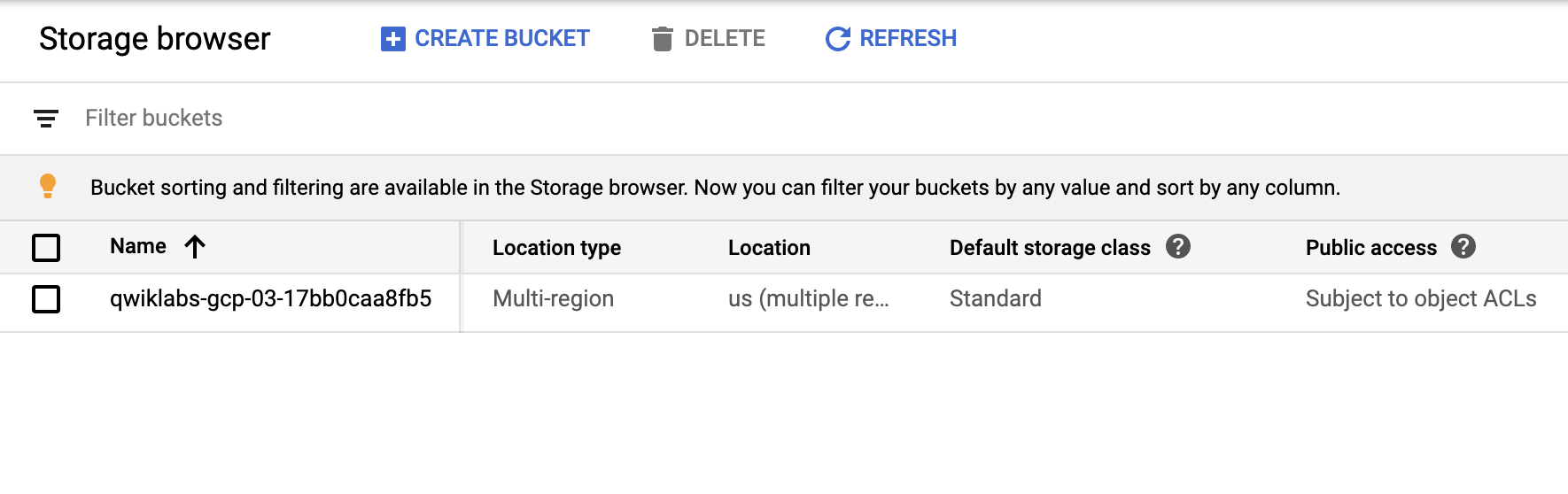
Next, you will check to make sure your GKE cluster has been created before continuing.
- In the Navigation menu, select select Kuberntes Engine > Clusters.
Continue when you see a green checkmark next to echo-cluster:
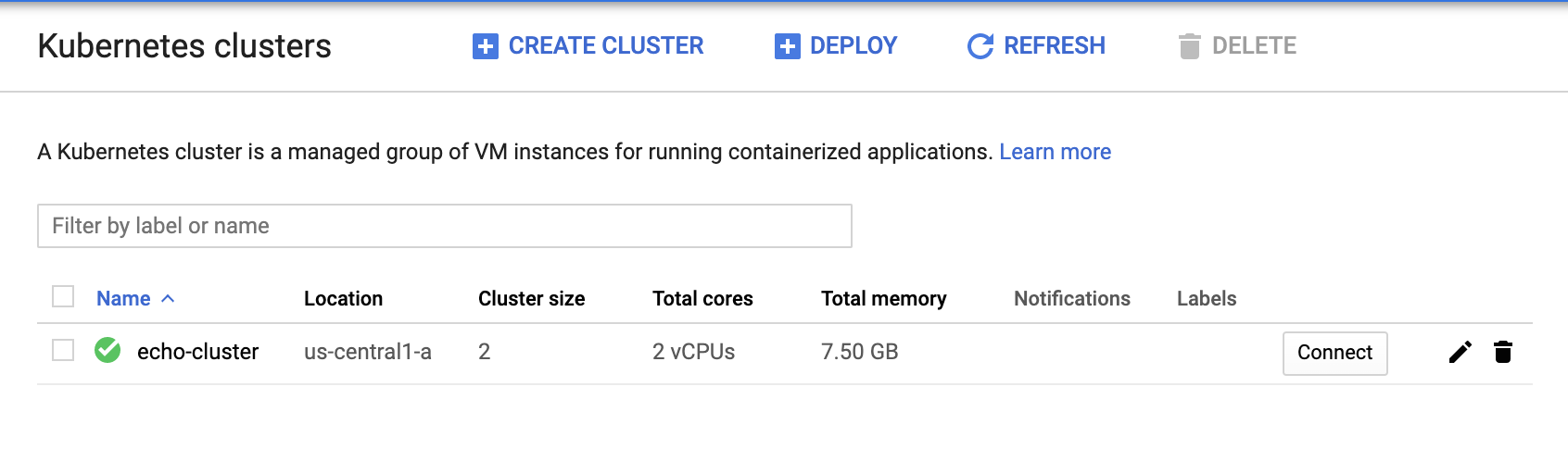
- To deploy your first version of the application, run the following commands in Cloud Shell to get up and running:
gcloud container clusters get-credentials echo-cluster --zone=us-east4-b
kubectl create deployment echo-web --image=gcr.io/qwiklabs-resources/echo-app:v1
kubectl expose deployment echo-web --type=LoadBalancer --port 80 --target-port 8000
Your challenge
You need to update the running echo-app application in the echo-web deployment from the v1 to the v2 code you have been provided. You must also scale out the application to 2 instances and confirm that they are all running.
Task 1. Build and deploy the updated application with a new tag
The updated sample application, including the Dockerfile and the application context files, are contained in an archive called echo-web-v2.tar.gz. The archive has been copied to a Cloud Storage bucket in your lab project called gs://qwiklabs-gcp-02-910c0269608a. V2 of the application adds a version number to the output of the application. In this task, you will download the archive, build the Docker image, and tag it with the v2 tag.
Task 2. Push the image to the Container Registry
Your organization uses the Container Registry to host Docker images for deployments, and uses the gcr.io Container Registry hostname for all projects. You must push the updated image to the Container Registry before deploying it.
Click Check my progress to verify the objective.
Check that there is a tagged image in gcr.io for echo-app:v2.
Check my progress
Task 3. Deploy the updated application to the Kubernetes cluster
In this task, you will deploy the updated application to the Kubernetes cluster. The deployment should be named echo-web and the application should be exposed on port 80. The application should be accessible from outside the cluster.
Click Check my progress to verify the objective.
Deploy the updated application version (v2) to the Kubernetes cluster.
Check my progress
Task 4. Scale out the application
In this task, you will need to scale out the application to 2 replicas.
Click Check my progress to verify the objective.
Scale out the kubernetes application so that it is running 2 replicas.
Check my progress
Task 5. Confirm the application is running
In this task, you will need to confirm that the application is running and responding correctly. You can use the external IP address of the application to test it.
Click Check my progress to verify the objective.
Verify your deployed application service is responding correctly.
Check my progress
Troubleshooting
Receiving a 504, Gateway timeout error: This might just indicate that the application hasn't quite initialized yet, but it could also be caused by a mismatch between the default port that is set in the Dockerfile (TCP port 8000) and:
The choice of application port you configured when deploying the application image, or
When you configured external access.
Solution of Lab
Quick
curl -LO raw.githubusercontent.com/ePlus-DEV/storage/refs/heads/main/labs/GSP305/lab.sh
source lab.sh
Script Alternative
curl -LO raw.githubusercontent.com/prateekrajput08/Arcade-Google-Cloud-Labs/refs/heads/main/Scale%20Out%20and%20Update%20a%20Containerized%20Application%20on%20a%20Kubernetes%20Cluster%3A%20Challenge%20Lab/TechCode.sh
sudo chmod +x TechCode.sh
./TechCode.sh
Other Solution
https://www.youtube.com/watch?v=wg6b3BdQ-lI
export ZONE=

curl -LO raw.githubusercontent.com/QUICK-GCP-LAB/2-Minutes-Labs-Solutions/main/Scale%20Out%20and%20Update%20a%20Containerized%20Application%20on%20a%20Kubernetes%20Cluster%20Challenge%20Lab/gsp305.sh
sudo chmod +x gsp305.sh
./gsp305.sh
Manual
About the author
A passionate full-stack developer from @ePlus.DEV
Comments
Join the discussionNo comments yet. Be the first to comment.
Tip & Tricks
Quick and practical tips to help users optimize tasks, improve skills, and solve common problems effectively across various areas like tech, lifestyle, productivity, and more.